Hero Image
Self-Hosted Cloud Storage with Nextcloud

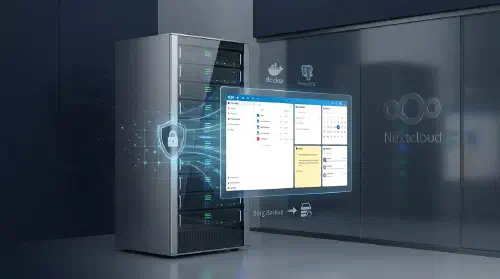
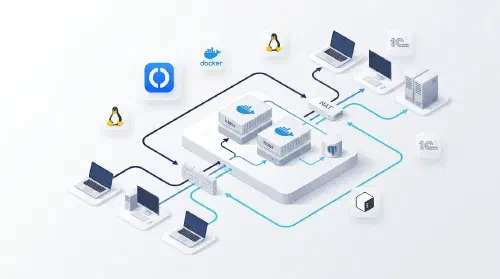
Self-Hosted Corporate Cloud Client Mid-sized business with strict data privacy and data residency requirements Challenge The company relied on third-party cloud services to store and share work files, creating data leakage risks and dependency on external providers. They needed a self-hosted solution with in-browser document editing, deleted file recovery, revision history, and additional collaboration tools β€” calendar, notes, and email β€” all under their own control. Solution 1. Nextcloud AIO Deployment Nextcloud All-in-One β€” official Docker image with the full stack out of the box PostgreSQL for application data storage Redis for caching and background job queues Nginx as a reverse proxy with automatic SSL/TLS 2. In-Browser Document Editing Nextcloud Office (Collabora Online) β€” built-in office suite Support for .docx, .xlsx, .pptx and ODF formats Real-time collaborative editing No local software installation required 3. File Management Deleted files trash bin with configurable retention period File version history β€” roll back to any previous revision Granular access control: folders, share links, passwords Mobile and desktop sync clients 4. Collaboration Tools Calendar (CalDAV) β€” team scheduling and events Notes β€” personal and team notes with Markdown support Mail β€” built-in web client for corporate email (IMAP/SMTP) 5. Backup Borg Backup β€” incremental backup built into Nextcloud AIO Data deduplication and compression Scheduled automatic runs Remote storage for backups (S3-compatible / SFTP) Technologies Nextcloud Docker PostgreSQL Nginx Linux Results βœ… Data ownership: files stay on company servers, no third-party providers βœ… In-browser editing: office documents open and edit directly in the browser βœ… Safety net: version history and trash bin protect against accidental data loss βœ… Unified platform: single solution for files, calendar, notes, and email βœ… Automated backups: incremental backup via Borg Backup on a set schedule
Hero Image
Self-Hosted Corporate Messenger (Matrix)

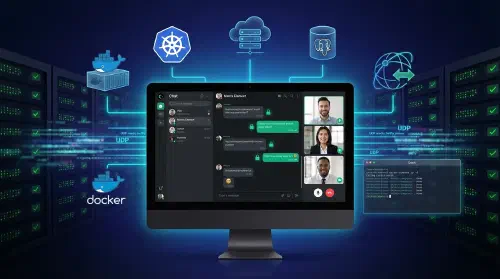
Self-Hosted Secure Messenger for Enterprise Communications Client Mid-size business with strict data privacy and security requirements Challenge The company required full control over its internal communications β€” no third-party servers, no data leakage risks. The solution had to support end-to-end encryption, voice and video calls, file sharing, and seamless integration with existing corporate infrastructure, all manageable by an internal team. Solution 1. Server Stack Matrix Synapse as the core messaging server PostgreSQL 16 for persistent data storage Caddy as reverse proxy with automatic SSL/TLS Docker Compose for service orchestration 2. Client Applications Element Web for browser access Element Desktop for Windows/macOS/Linux Element Mobile for iOS/Android Consistent interface across all platforms 3. Voice & Video Calls Coturn (TURN/STUN server) for NAT traversal Group video call support UDP ports 49160–49200 for media traffic Automatic configuration via environment variables 4. Administration Synapse Admin web UI for user and room management Usage statistics and monitoring Accessible on a dedicated port (8888) 5. Security End-to-end encrypted messages Automatic SSL/TLS certificates via Caddy Public registration disabled Optional federation with other Matrix servers Healthchecks on all services 6. Automation Single Bash script for full stack initialization Automatic Synapse config generation Automated admin user creation via expect Docker Compose with dependency ordering and healthchecks Technologies Docker PostgreSQL Caddy Bash Linux Element + Matrix + Synapse Results βœ… Data ownership: full control over messages and user data β€” no third-party servers βœ… Scale: 100+ concurrent users βœ… Features: text, voice, video, file sharing up to 1.5 GB, E2E encryption βœ… Speed: full deployment in 5 minutes with a single script βœ… Reliability: automatic SSL certificates, healthchecks, auto-restart