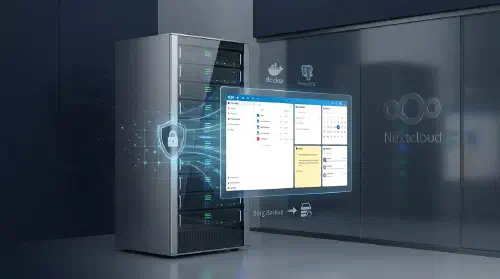
Self-Hosted Cloud Storage with Nextcloud
Self-Hosted Corporate Cloud Client Mid-sized business with strict data privacy and data residency requirements
Challenge The company relied on third-party cloud services to store and share work files, creating data leakage risks and dependency on external providers. They needed a self-hosted solution with in-browser document editing, deleted file recovery, revision history, and additional collaboration tools — calendar, notes, and email — all under their own control.
Solution 1. Nextcloud AIO Deployment Nextcloud All-in-One — official Docker image with the full stack out of the box PostgreSQL for application data storage Redis for caching and background job queues Nginx as a reverse proxy with automatic SSL/TLS 2. In-Browser Document Editing Nextcloud Office (Collabora Online) — built-in office suite Support for .docx, .xlsx, .pptx and ODF formats Real-time collaborative editing No local software installation required 3. File Management Deleted files trash bin with configurable retention period File version history — roll back to any previous revision Granular access control: folders, share links, passwords Mobile and desktop sync clients 4. Collaboration Tools Calendar (CalDAV) — team scheduling and events Notes — personal and team notes with Markdown support Mail — built-in web client for corporate email (IMAP/SMTP) 5. Backup Borg Backup — incremental backup built into Nextcloud AIO Data deduplication and compression Scheduled automatic runs Remote storage for backups (S3-compatible / SFTP) Technologies Nextcloud Docker PostgreSQL Nginx Linux Results ✅ Data ownership: files stay on company servers, no third-party providers
✅ In-browser editing: office documents open and edit directly in the browser
✅ Safety net: version history and trash bin protect against accidental data loss
✅ Unified platform: single solution for files, calendar, notes, and email
✅ Automated backups: incremental backup via Borg Backup on a set schedule